
ACIMS Supply Chain Portal Support
Welcome to the Aston Group's ACIMS Supply Chain Portal support page. We hope that with the help of the user guide and videos below, you will be able to join the portal, which will help Aston Group process your company and payments quickly.
ACIMS Supply Chain Portal Guide
Before getting started, we recommend taking a few minutes to read through the short user guide — it'll help you navigate the ACIMS Supply Chain Portal with ease.
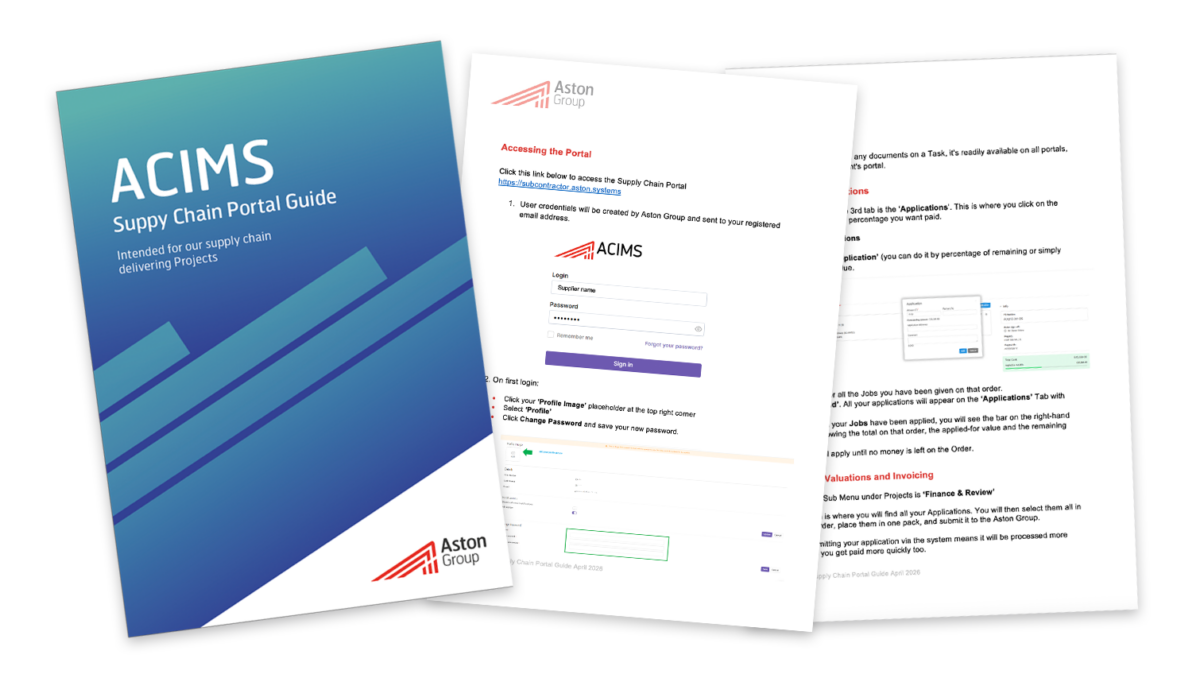
Click here to access and download the Supply Chain Portal Guide
Onboarding
Take a look at our short onboarding video — it'll walk you through each section of ACIMS so you can get set up quickly and easily.
Adding an Employee
Take a look at our short video about how to add an employee — it'll walk you through the relevant section of ACIMS so you can get set up quickly and easily.
Jobs and Payments
Take a look at our short video about jobs and payments — it'll walk you through the relevant section of ACIMS so you can get set up quickly and easily.
When you have fully completed the application, click save and submit to Aston Group which will enable us to verify your application.
Please contact this email if you have any problems with the onboarding process support@astongroup.co.uk
If any further information is required, you will be notified by our verifiers on what that information might be. Otherwise, your application will be approved and you will be able to have work orders raised through ACIMS.
Thank you
ACIMS Supply Chain Portal FAQ's
What is the ACIMS Supply Chain Portal?
The ACIMS Supply Chain Portal is Aston Group's online system for supplier onboarding, compliance and Purchase Order (PO) invoicing.
Why is Aston Group introducing this portal?
The portal helps us to:
- Improve supplier onboarding
- Meet compliance requirements
- Speed up invoice approvals
- Reduce paperwork
Improve project reporting and forecasting
Who needs to register?
All suppliers and subcontractors working with Aston Group must complete the onboarding process before they can receive Purchase Orders and submit invoices.
When should I complete onboarding?
Please complete your onboarding as soon as you receive your invitation. Delays may affect your ability to receive Purchase Orders and payments.
What information will I need?
You may be asked to provide:
- Company details
- Company Registration and VAT numbers
- Bank details
- Insurance certificates
- Health & Safety information
- Other compliance documents (PQQ)
How do I access the portal?
You'll receive an email with a secure link to the ACIMS Supply Chain Portal. The email will also provide access to our Supplier Support webpage, training videos and user guides. You can find the link to the portal on the menu bar of this page too and here
Is there any guidance available?
Yes. Our Supplier Support webpage includes:
- Step-by-step training videos
- User guides
- Frequently Asked Questions
- Contact details for additional support
How long does onboarding take?
Most suppliers can complete the process in around 20–30 minutes, provided all the required information is available.
What happens after I submit my application?
We'll review your application and contact you if anything is missing. Once approved, you'll receive a confirmation email.
Do I need to register for every project?
No. Once your company has been approved, you only need to update your details if your company information changes.
How do I submit invoices?
Invoices must be submitted through the ACIMS Supply Chain Portal against a valid Aston Group Purchase Order (PO).
What happens if my invoice is rejected?
If your invoice cannot be processed, we'll let you know why. Common reasons include:
- Incorrect Purchase Order number
- Missing information or supporting documents
- Duplicate invoice
- Invoice value exceeds the Purchase Order
Once corrected, you can resubmit your invoice.
Will this change my payment terms?
No. Your agreed payment terms remain the same. The portal simply makes the invoice approval process quicker and more efficient.
What happens if I don't complete the onboarding process?
Suppliers who do not complete the onboarding process may experience delays in:
- Receiving Purchase Orders
- Submitting invoices
- Processing payments
- Being appointed to future Aston Group projects
How is my information protected?
Aston Group complies with UK GDPR and Data Protection legislation. Your information is stored securely and only used for legitimate business purposes.
Can I access ACIMS from more than one device?
Yes. You can access the portal from multiple devices using your login details.
What browser should I use?
ACIMS is web-based and works with most modern internet browsers. For the best experience, we recommend using the latest version of Google Chrome.
Will I need to change my password?
Yes. To keep your account secure, you'll be asked to update your password periodically.
Who do I contact if I need help?
Please visit the Supplier Support webpage first, where you'll find training videos, user guides and FAQs. If you still need assistance, contact your Aston Group Contract Manager, reply to your onboarding email or use support@astongroup.co.uk
Why am I getting a "400 Bad Request" error?
A 400 Bad Request error is usually caused by your browser using outdated stored information (cache). If the portal has recently been updated, your browser may still be trying to use an older version of the page.
What should I do?
- Refresh the page.
- Clear your browser's cache and cookies.
- Clear your computer's DNS cache if the issue continues.
- Close and reopen your browser, then try again.
If the problem persists, please contact the Aston Group support team.
Why am I getting a "408 Request Timeout" error?
A 408 Request Timeout error means the portal did not receive your request within the expected time. This is usually caused by a slow or unstable internet connection, a temporary server delay, or a browser issue.
What should I do?
- Check that your internet connection is stable.
- Refresh the page and try again.
- Close and reopen your browser if necessary.
- Wait a few minutes and try again if the server is busy.
If the problem continues, please contact the Aston Group support team.